Final Project Idea: Bouncy Ball by Angel Arellano
The idea that I have for my final project for this semester is a simple 3d animation of a bouncing ball that
will keep on repeating itself until you press the "escape" key (or if you close the window).
This program will first open a separate window where the program will then create a sphere object. The sphere
itself will have the classic Disney "star" ball texture that has mostly been seen in many Disney movies.
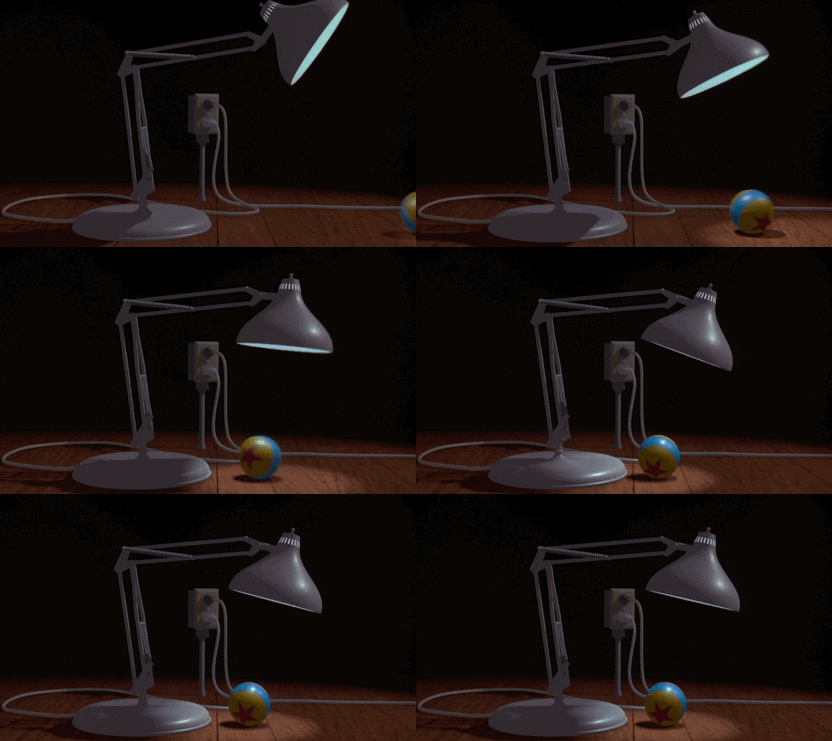 The ball will then be constructed at the top of the screen, where the ball will then fall toward a plane that
will act as the solid floor for the ball to land on. The ball will then bounce a couple of times until it
finally comes to a stop. The animation will then repeat itself continuously until the user either presses the
"escape" key or close the window.
The ball will then be constructed at the top of the screen, where the ball will then fall toward a plane that
will act as the solid floor for the ball to land on. The ball will then bounce a couple of times until it
finally comes to a stop. The animation will then repeat itself continuously until the user either presses the
"escape" key or close the window.
 Some of the challenges that I believe will face will include adding physics into the animation. It's mostly the
ball object that is constructed in the animation that will contain some elements of physics because I believe
gravity is going to be the main reason of how the ball will fall and bounce off from another object.
Another difficulty that I may experience is to program my animation to continuously repeat the same action over
and over again. To solve this issue, I will be placing my whole code into a "while" loop.
My animation will be a repeating type of animation as I've mentioned earlier about. The animation will
continuously keep creating a sphere object, for a certain amount of time. And finally, for the background of
the animation, I might later on decide to only leave a blank, white background for the bouncy ball or add a
somewhat "child's room" theme background that will make the it look like that the ball is bouncing inside a
child's room.
Some of the challenges that I believe will face will include adding physics into the animation. It's mostly the
ball object that is constructed in the animation that will contain some elements of physics because I believe
gravity is going to be the main reason of how the ball will fall and bounce off from another object.
Another difficulty that I may experience is to program my animation to continuously repeat the same action over
and over again. To solve this issue, I will be placing my whole code into a "while" loop.
My animation will be a repeating type of animation as I've mentioned earlier about. The animation will
continuously keep creating a sphere object, for a certain amount of time. And finally, for the background of
the animation, I might later on decide to only leave a blank, white background for the bouncy ball or add a
somewhat "child's room" theme background that will make the it look like that the ball is bouncing inside a
child's room.
Step-By-Step process of bouncy ball project
Sunday, November 16th
To start, I decided to copy and reuse some of the code that we did from lab7 and lab8.
Like from the previous lab(s), the program will first generate a new window and wait for the user to press the r
key where the program will render a ball that is on top of a checkered plane as shown below:
 This is the first prototype of my final project as I will use multiple keys to keep track of the final project's state.
In the prototype, I've also added an "Image" class that will allow me to implement my texture onto my ball object.
This class will be used later after I complete creating a repeating motion of the ball falling from the sky.
The Image class is written over the x11 object class as shown below:
This is the first prototype of my final project as I will use multiple keys to keep track of the final project's state.
In the prototype, I've also added an "Image" class that will allow me to implement my texture onto my ball object.
This class will be used later after I complete creating a repeating motion of the ball falling from the sky.
The Image class is written over the x11 object class as shown below:

Tuesday, November 25th
After creating the necessary classes needed for creating this falling ball object animation, I then created
another prototype that will make the ball float almost off screen. The ball will be showing a little on the top
of the screen to ensure that the ball didn't suddenly "disappear" as shown below:
 After completing the second prototype, I then started creating another prototype that uses the same line of code
from the previous prototype. This prototype focuses on trying to begin adding multiple frames onto the rendered
object as the ball's position slowly descends. In this prototype, I decided to start off with the ball moving by
one frame. Once the ball begins to move down one frame, the program will then take a snapshot of the ball's new
position and then renders the new image of the ball showing more from the top of the screen.
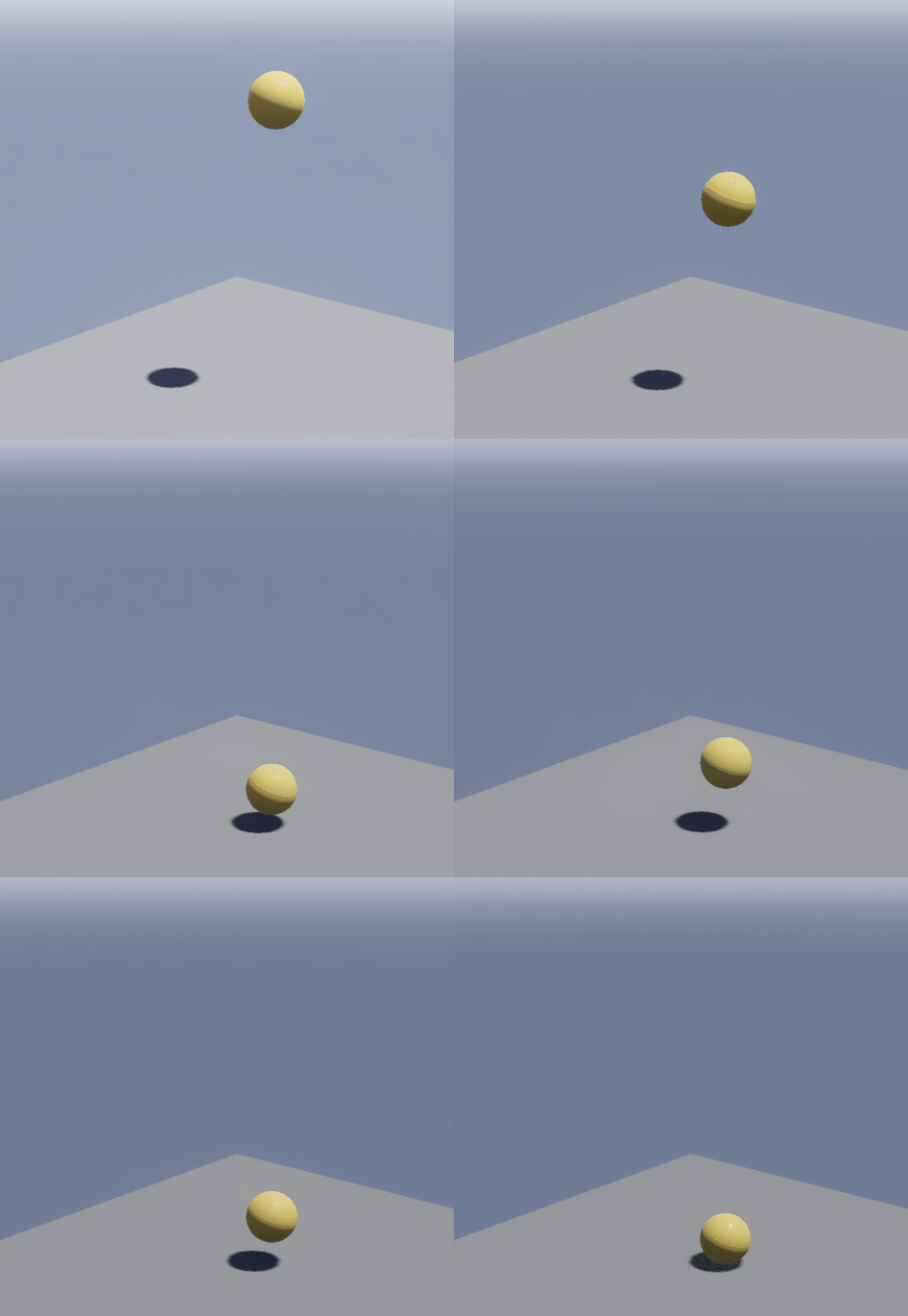
.GIF animation of the ball falling by one frame repeatedly:
After completing the second prototype, I then started creating another prototype that uses the same line of code
from the previous prototype. This prototype focuses on trying to begin adding multiple frames onto the rendered
object as the ball's position slowly descends. In this prototype, I decided to start off with the ball moving by
one frame. Once the ball begins to move down one frame, the program will then take a snapshot of the ball's new
position and then renders the new image of the ball showing more from the top of the screen.
.GIF animation of the ball falling by one frame repeatedly:
 Code used to generate the first animation of the 3rd prototype:

 After completing the 3rd prototype, I then moved on to my 4th prototype, which is just like the last prototype,
only I'm adding more frames to the scene, where the ball object will continuously fall until it hits the ground.
After the ball has safely landed on the plane, the animation will then continuously loop the ball falling over
and over again as shown below.
.GIF animation of the ball falling to the ground:
After completing the 3rd prototype, I then moved on to my 4th prototype, which is just like the last prototype,
only I'm adding more frames to the scene, where the ball object will continuously fall until it hits the ground.
After the ball has safely landed on the plane, the animation will then continuously loop the ball falling over
and over again as shown below.
.GIF animation of the ball falling to the ground:
 Code used for the 4th prototype:

 In my 5th prototype, I decided on wanting to decrease the pause between each frame in my animation to make it more
like a smooth animation than a stop-motion animation. This led to altering the "cooldown" between animation in the
system() function from 100 to 0. This would not only cause the animation to move faster but the ball will fall
smoother than in the 4th prototype.
.GIF of the ball falling faster and smoother:
In my 5th prototype, I decided on wanting to decrease the pause between each frame in my animation to make it more
like a smooth animation than a stop-motion animation. This led to altering the "cooldown" between animation in the
system() function from 100 to 0. This would not only cause the animation to move faster but the ball will fall
smoother than in the 4th prototype.
.GIF of the ball falling faster and smoother:
 Code used for the 5th prototype:


Wednesday, November 28th
Although that the ball some look like it is both falling faster and looking smoother than before, I couldn't help but
feel that I can make it a lot more smooth than it was before by decreasing the amount of frames that are being incremented
to the ball's position. Hence why in my 6th prototype, I decided to incrementing the ball's frames per half a second than
a full second.
.GIF animation of the ball falling by one frame per half a second:
 Although the ball isn't falling as fast as the previous prototype, notice that object is moving a lot more smoother than it
was before. This was because I not only decremented the amount of frames per second but I was also able to increase the
amount of time that was being multiplied and was respective to the ball's movement. This is known as the "delta time" that
was currently being multiplied to the ball's position that was being decreasing, causing the ball to move in respect to real
time.
Although the animation is a lot more smoother, it still is a a bit slower compared to my 5th prototype. Hence why in my 7th
prototype, I decided to have the animation move a bit faster but still retain the same smooth animation from my 6th prototype.
To do this, I decided to alter the delta time by decreasing it to 53.5, hoping that it will still keep its smoothness while
going faster.
Although the ball isn't falling as fast as the previous prototype, notice that object is moving a lot more smoother than it
was before. This was because I not only decremented the amount of frames per second but I was also able to increase the
amount of time that was being multiplied and was respective to the ball's movement. This is known as the "delta time" that
was currently being multiplied to the ball's position that was being decreasing, causing the ball to move in respect to real
time.
Although the animation is a lot more smoother, it still is a a bit slower compared to my 5th prototype. Hence why in my 7th
prototype, I decided to have the animation move a bit faster but still retain the same smooth animation from my 6th prototype.
To do this, I decided to alter the delta time by decreasing it to 53.5, hoping that it will still keep its smoothness while
going faster.

Monday, December 1st
Although I wasn't able to finish the animation, I was able to at least make some progress on making an actual pixar ball in blender
as shown below:
 Unfortunately, I wasn't able to render and download the actual texture of the pixar ball into a texture map file as every time I did,
I only kept creating a blank, black image of what suppose to be the texture map image of my pixar ball texture.
Unfortunately, I wasn't able to render and download the actual texture of the pixar ball into a texture map file as every time I did,
I only kept creating a blank, black image of what suppose to be the texture map image of my pixar ball texture.